



As you are aware that as per SEBI's Retail Algo Trading Framework, all Algos have to run from the Broker's Infrastructure / Servers. For all existing users, Quantiply will be Migrating all the existing Algos to Quantiply's new systems that will run from the Broker's Infrastructure.
The following is the step-wise guide to enable you to allow the Migration of your existing Algos to the respective broker you plan to trade on:
I. Preparing your Algos for Migration:
1. For existing users of Brokers Quantiply is integrating with (AngelOne, IIFL, Upstox, Finvasia):
1. All you have to do is make sure that the Algos that you want Migrated are linked/assigned to the Broker / Client ID where you want to trade.
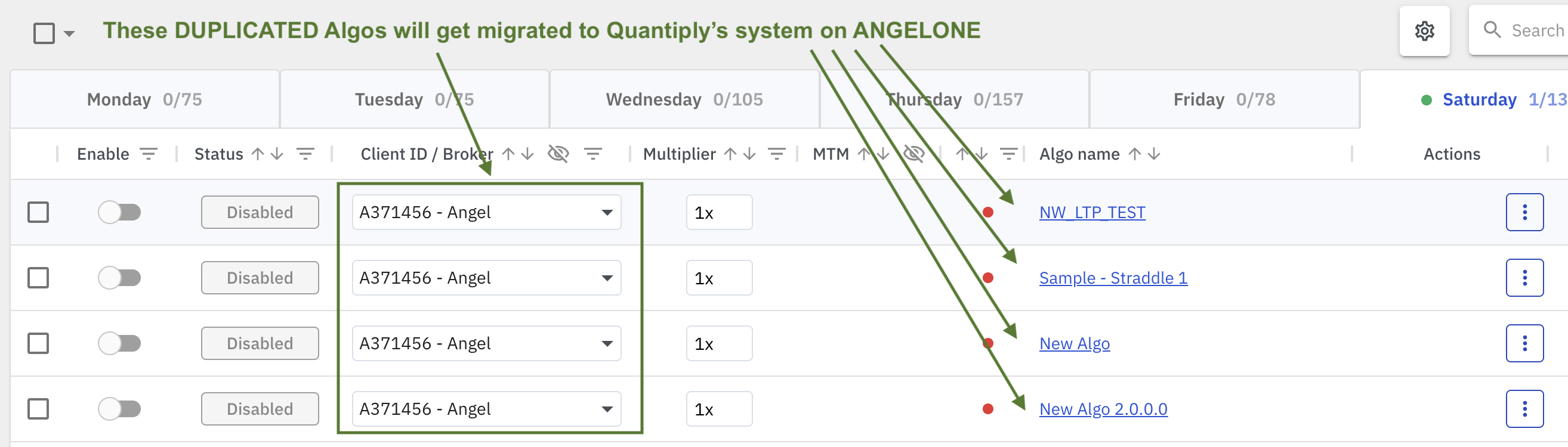
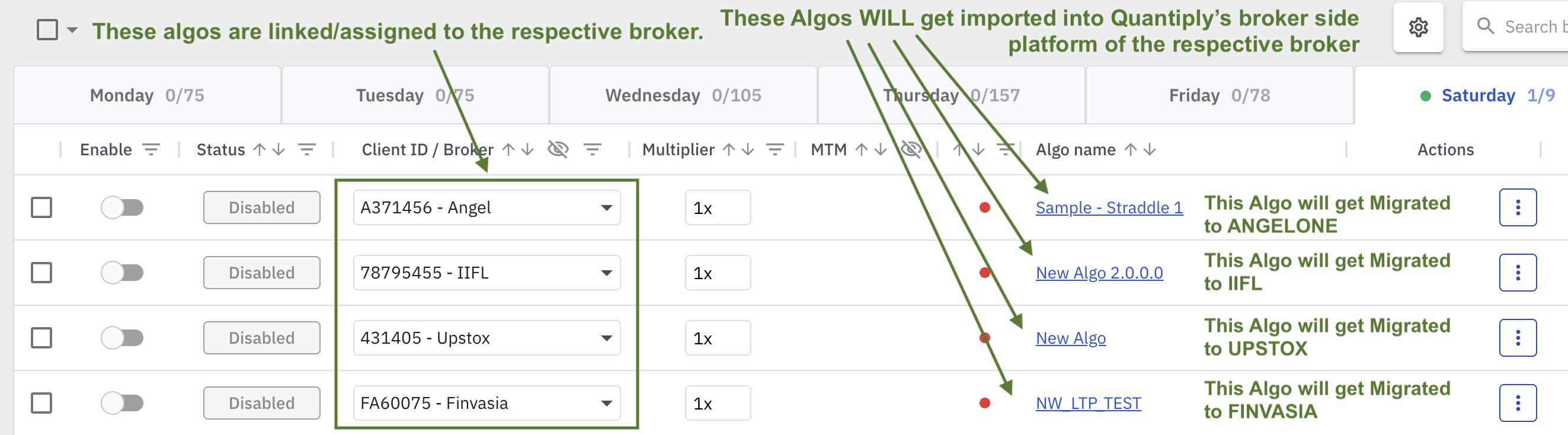 Linked / Assigned algos - Will get migrated
 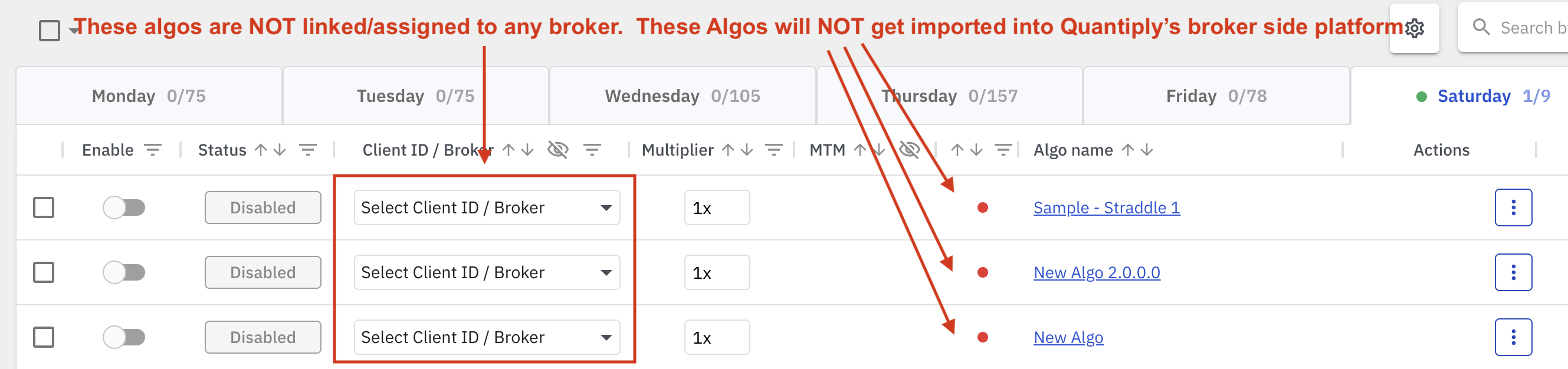 Un-linked / Un-assigned algos - Will NOT get migrated
 2. For existing users who are shifting from Other Brokers (like Zerodha, Flattrade, Fyers etc) to Brokers Quantiply is integrating with (AngelOne, IIFL, Upstox, Finvasia):
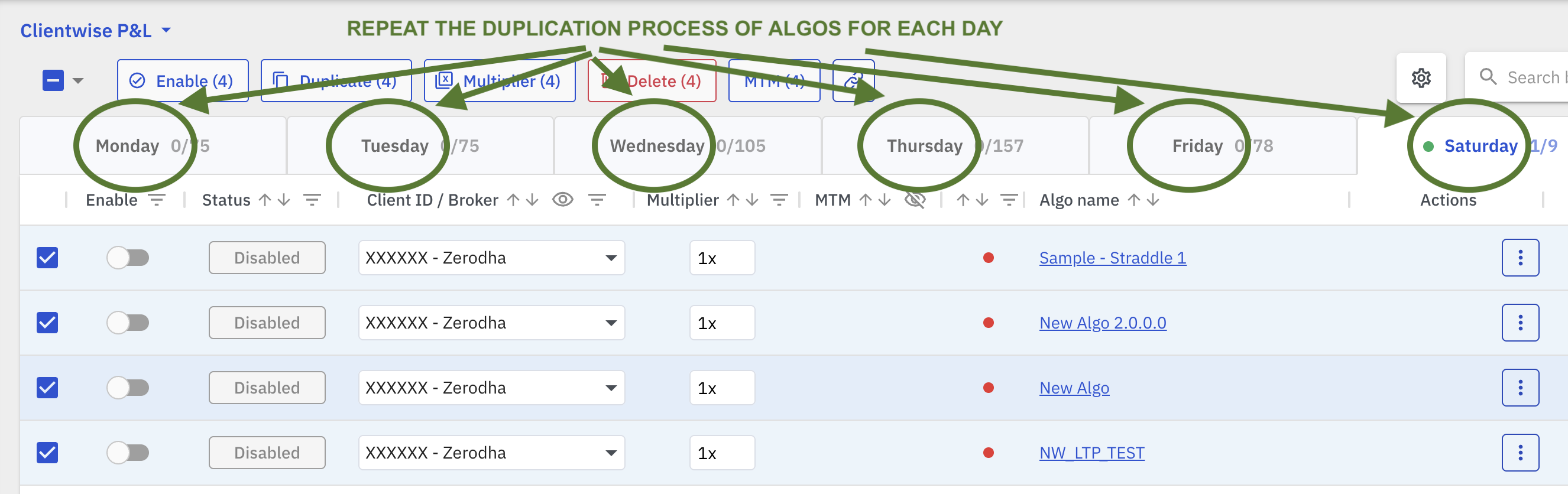
1. Select multiple algos at the same time, running on your previous broker.
Example: If you are shifting from Zerodha to AngelOne. Select all the algos you were running on Zerodha for a particular day.
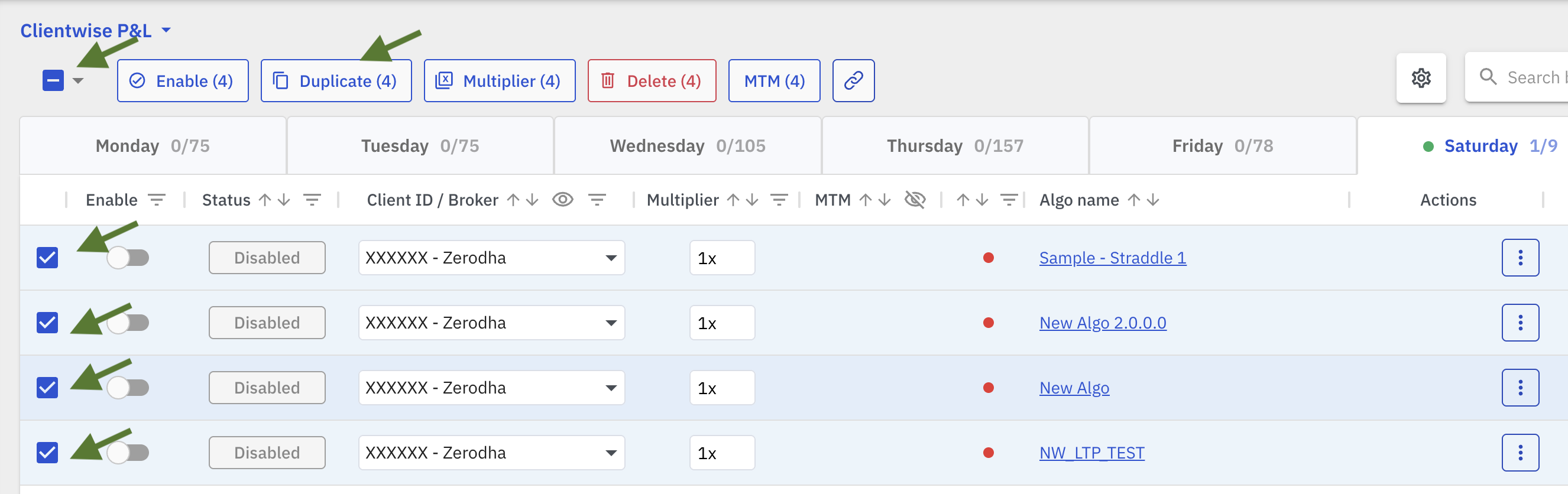
2. Click on the Duplicate button.
On the pop up, select the same day on which these algos have to be duplicated and Select the new Client ID/Broker you are shifting to, and click on the Duplicate button. (Note: If you haven't already setup the new Client ID/Broker you are shifting to, then please do so from the Broker Setup page)
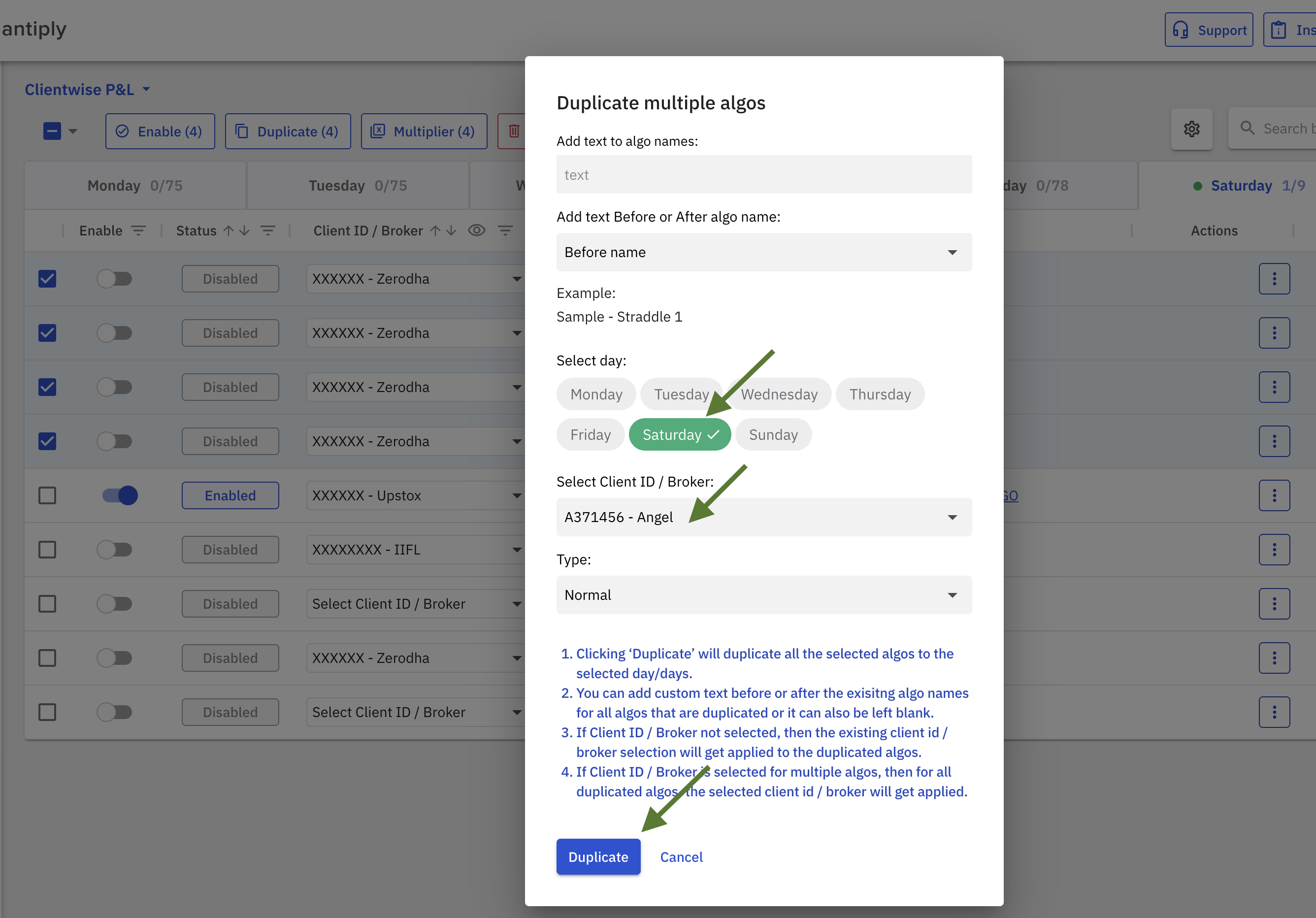
3. Once the algos are Duplicated, the Algos will be assigned to your new Client ID/Broker that you will be trading with, and will get migrated automatically to that broker's environment.
In the below example. The algos that were running on a Zerodha account, were duplicated and assigned to an AngelOne account. So, these duplicated algos will get migrated to AngelOne.
4. Repeat the above process for each day on Quantiply.
II. Timeline for the Migration Activity:
1. For clients planning to trade with AngelOne and Upstox:
Prepare your algos for Migration before 6:00 PM, MONDAY, 27th APRIL 2026
2. For clients planning to trade with IIFL and Finvasia Shoonya:
Prepare your algos for Migration before 6:00 PM, FRIDAY, 1st MAY 2026
III. Other Important Points:
1. Please note that only NORMAL algos will get migrated. SIGNAL Algos will not get migrated as of now.
2. If you have not prepared your Algos for migration before the specified time and date, the Algos will have to be freshly created by you on the Broker side Quantiply platform.
3. The Reports data will not get Migrated to the new Broker side Quantiply platform, but they will be available for an extended period of time on app.quantiply.tech.
4. To add a new Client ID of a new broker that you are planning to shift to, you will require to subscribe to a plan on Quantiply. You can subscribe to the STARTER plan and get in touch with our team to add the new client id of the new Broker, as with STARTER plan you will only be able to configure 1 account by yourself. Our team will enable you to add your new Client id / Broker.
5. When you setup an additional or new Client ID on the old Quantiply platform before migration, you can add any dummy API key and API secret for brokers where it is required, but make sure that the Client ID is correct.
5. With the new broker-side Quantiply platform, no API setup will be required. Only a Login will be required every morning, as it did previously. All your algos will be linked to your Client ID of that specific broker.